Your phone rings at 7:43 PM on a Tuesday. Your office closed at 5. A homeowner just discovered water pooling under their kitchen sink, and they need a plumber. They call your number. Voicemail. They hang up. They call the next plumber on Google. That plumber answers. They book a $450 job.
You never even knew the call happened. No voicemail was left. No notification. Just a missed opportunity that went straight to your competitor. Multiply that scenario by three or four times a week, and you start to understand the scale of the missed call problem for local service businesses.
An AI receptionist changes that. Instead of voicemail, a conversational AI agent picks up the phone, greets the caller, understands what they need, asks qualifying questions, and can book an appointment on your schedule. The caller gets help right away. You get a lead with details you can act on.
This guide covers how an AI receptionist works, what it costs, who it suits, and what to watch out for.
The missed call problem is bigger than you think
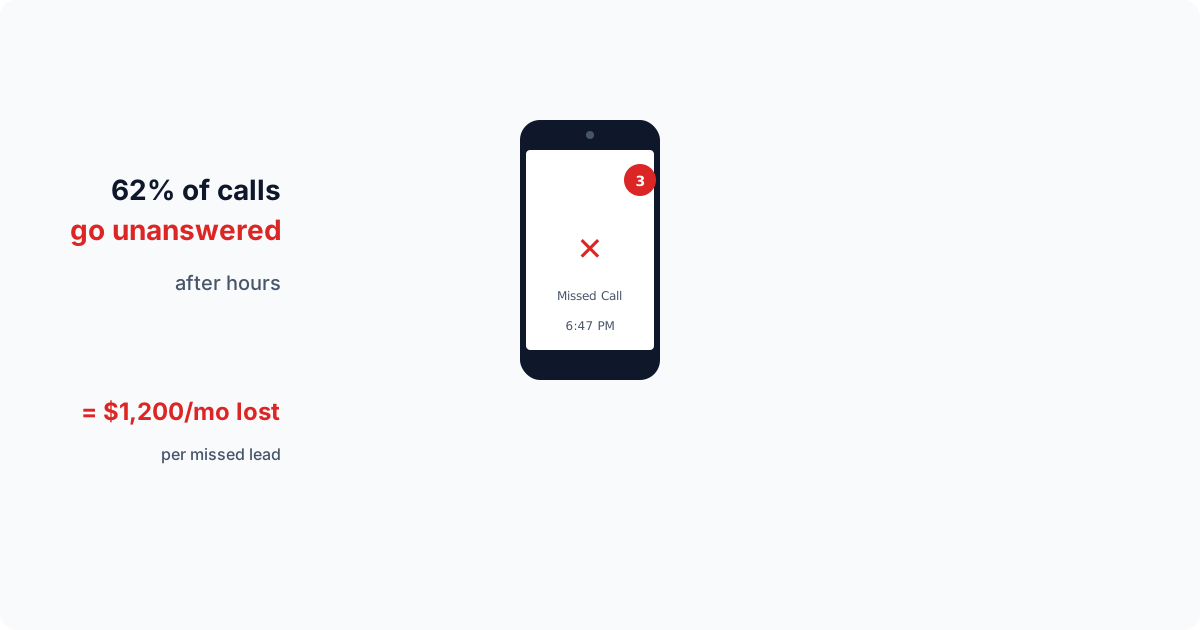
Plenty of calls to local businesses go unanswered. Not because the business does not want those calls. Because the owner is on a job site, the receptionist is helping another customer, it is after hours, or the phone just rang at the wrong time.
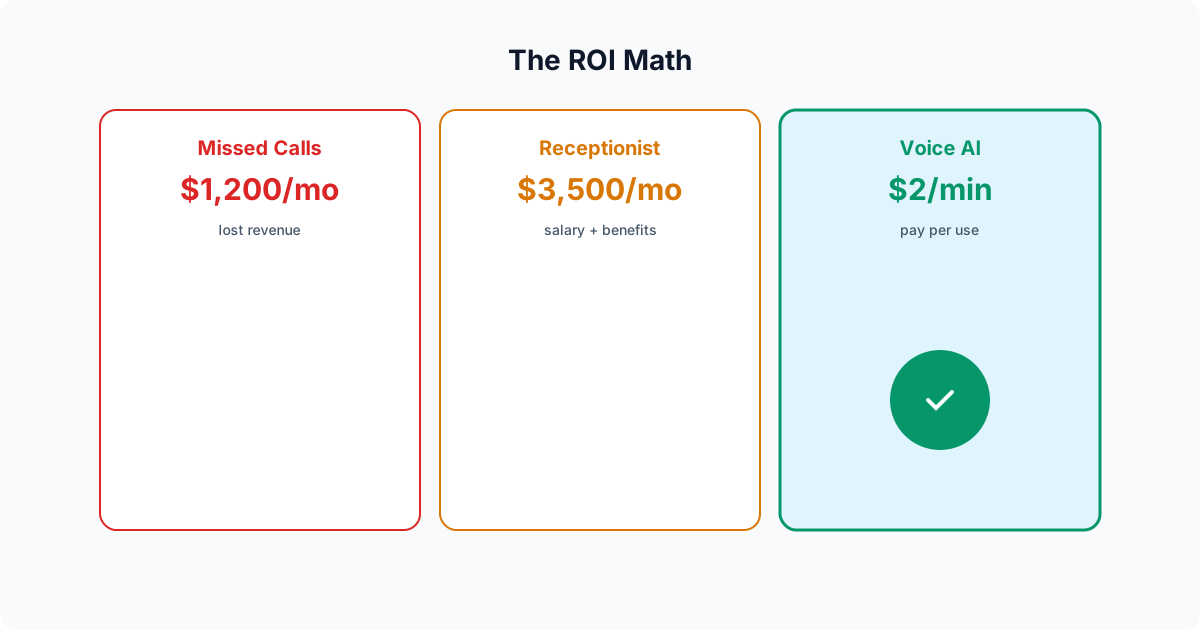
The cost adds up. As an example: a company that misses four calls a week, books half of the calls it answers, and earns $350 per job loses about $700 a week, or roughly $36,000 a year. Put your own numbers in: missed calls per week, times the share you would have booked, times your average job value, times 52. Most businesses do not know how many calls they miss until they count them.
The problem compounds because many callers do not leave a voicemail. They call the next business on the list instead. By the time you check your missed calls the next morning, that lead may have already hired someone else.
Hiring a full-time receptionist is the traditional solution, but it comes with its own challenges. A dedicated receptionist costs $30,000 to $45,000 per year in salary alone, plus benefits, training, and management overhead. They work 8 hours a day, 5 days a week. They take lunch breaks, sick days, and vacations. And they can only handle one call at a time. During peak hours, callers still wait on hold or go to voicemail.
What AI Receptionist Actually Is (and What It Is Not)
When most people hear "AI phone answering," they think of the robotic phone trees they have been dealing with for decades. "Press 1 for billing. Press 2 for support. Press 0 to speak with an operator." Those interactive voice response (IVR) systems are universally hated. They are rigid, frustrating, and designed to deflect callers rather than help them.
Modern voice AI is fundamentally different. It uses large language models and neural text-to-speech to have actual conversations. The caller speaks naturally, and the AI responds naturally. There is no menu. There are no button presses. The caller simply says what they need, and the AI understands, asks follow-up questions, and takes action.
Here is what a typical voice AI call sounds like for a plumbing company:
Example conversation:
AI: "Hi, thanks for calling Apex Plumbing. This is Sarah. How can I help you today?"
Caller: "Yeah, I have a leak under my kitchen sink and water is going everywhere."
AI: "I am sorry to hear that. Let me get someone out to you as quickly as possible. Can I get your name?"
Caller: "Mike Thompson."
AI: "Thanks, Mike. And what is the best phone number to reach you at in case we get disconnected?"
Caller: "702-555-1234."
AI: "Got it. And your address?"
Caller: "1842 Sunset Road."
AI: "Perfect. I have you down for an emergency leak repair at 1842 Sunset Road. Our earliest available slot is tomorrow morning between 8 and 10 AM. Does that work for you?"
Caller: "Can you do today? It is pretty bad."
AI: "I completely understand. Let me flag this as urgent for the team. I will have a technician call you back within 15 minutes to coordinate a same-day visit. In the meantime, if you can turn off the water supply valve under the sink, that will help minimize the damage."
Caller: "Okay, thanks."
AI: "You are welcome, Mike. Hang tight, and we will get this taken care of for you."
That entire interaction took about 90 seconds. The AI captured the caller's name, phone number, address, and the nature of the problem. It offered a scheduling slot, recognized the urgency when the caller pushed back, escalated appropriately, and even provided a practical tip to reduce water damage. The caller got immediate help. The business got a qualified lead with full contact details and a clear service need.
Compare that to voicemail, where many callers hang up without saying a word.
How AI Receptionist works under the hood
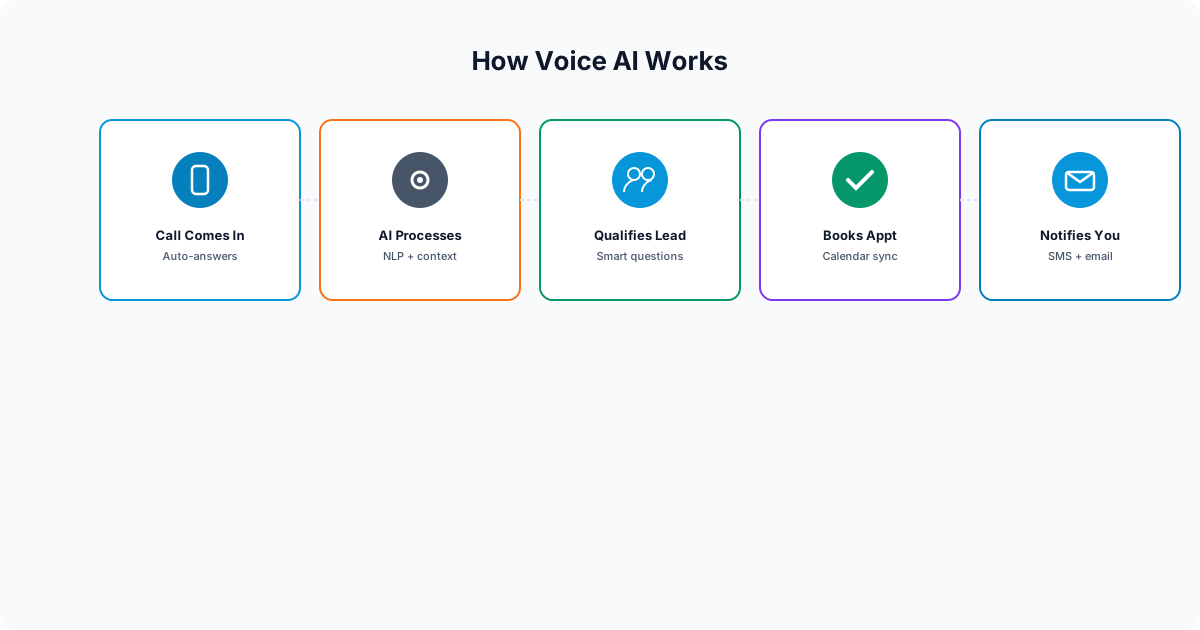
AI Receptionist phone answering systems combine several technologies working together in real time:
Speech recognition
When a caller speaks, the system converts their voice to text using advanced speech-to-text models. These models have improved a lot in the past few years. They handle accents and background noise far better than the speech recognition of even 2023, though bad connections and noisy job sites still cause errors.
Natural language understanding
Once the caller's words are transcribed, a large language model interprets the meaning. This is not keyword matching. The AI understands context. If a caller says "my AC is blowing hot air," the model understands this is a cooling system repair request, not a heating issue. If they say "the unit outside is making a grinding noise," it recognizes this as a potential compressor or fan motor problem. It works from the services, prices and answers you give it about your business.
Conversational logic
The AI follows a structured conversation flow customized for your business. It knows which questions to ask, in what order, and how to handle curveballs. If a caller asks about pricing, the AI can provide ranges or explain that a technician will provide an exact quote on-site. If a caller asks something outside the AI's knowledge, it takes a message so your team can call back.
Neural text-to-speech
The AI's responses are spoken aloud using neural voice synthesis. Modern TTS voices are remarkably natural. They include pauses, inflection, and conversational cadence. The voice can be male or female, younger or older, and can be tuned to match the personality of your brand. It does not sound like Siri or Alexa. It sounds like a real person who works at your company.
Integration layer
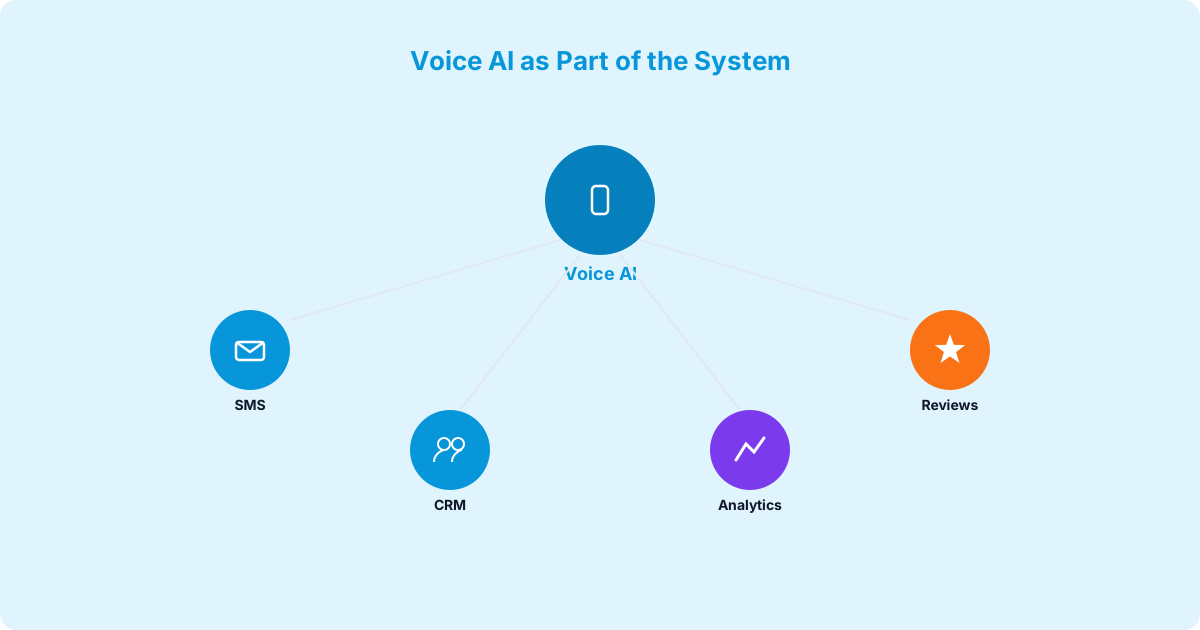
Behind the conversation, the AI connects to your business systems. It can check your schedule for open appointment slots and add the lead to your CRM. When the call ends, a complete record of the conversation, transcript, caller info, and any actions taken, is available in your dashboard.
What happens when a call comes in
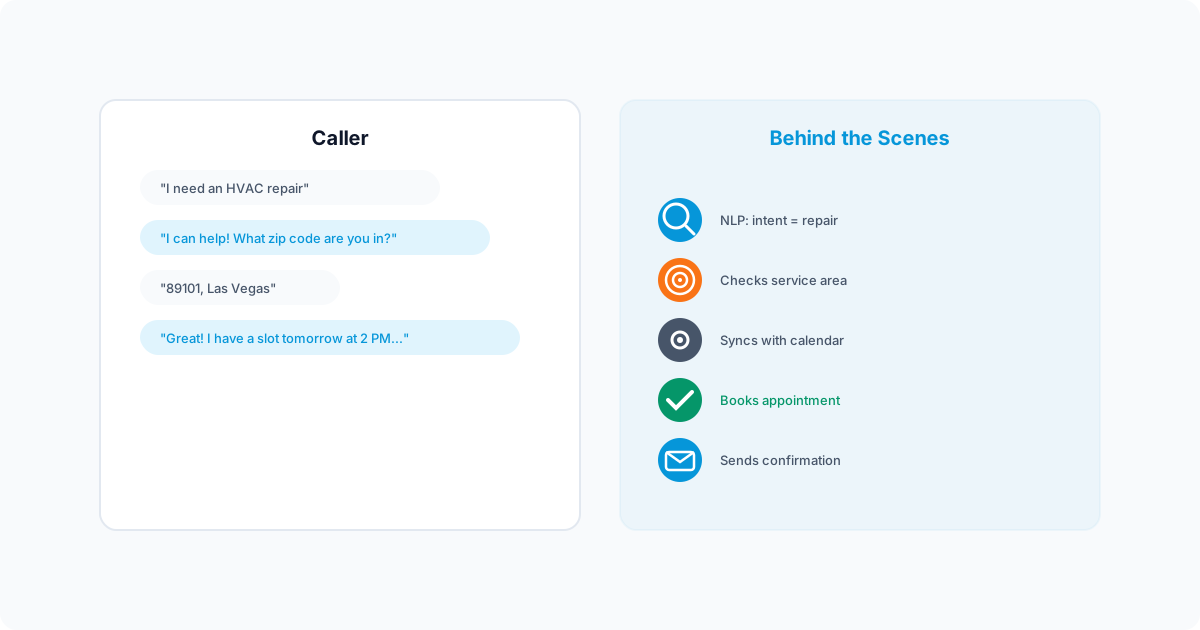
From the caller's perspective, the experience is seamless. Here is the step-by-step flow:
- The phone rings. The call is routed to your voice AI agent via simple call forwarding. No hardware installation. No new phone number required (though you can use a dedicated number if you prefer).
- The AI answers. It greets the caller by your business name with a natural, friendly tone. "Hi, thanks for calling Johnson Electrical. How can I help you today?"
- The caller explains their need. The AI listens, understands the context, and begins asking qualifying questions: name, phone number, address, nature of the issue, preferred scheduling window.
- The AI qualifies the lead. Based on the conversation, the AI determines if this is a service call, an estimate request, a billing question, or something else, and collects information accordingly.
- Appointment booking. If the caller needs a service visit and booking is turned on, the AI checks your schedule and offers available time slots. It confirms the booking and provides relevant details (arrival window, what to expect, preparation tips).
- Call summary. After the call ends, the caller's name, phone number, address, issue description, any appointment details and the transcript are in your dashboard.
- CRM entry. The lead is created in your CRM with the collected information, ready for your team to follow up.
The entire process takes 60 to 120 seconds. The caller never waits on hold. They never navigate a phone tree. They never hear "your call is important to us" on a loop. They simply tell the AI what they need, answer a few questions, and hang up with an appointment confirmed.
How different industries use AI Receptionist

AI Receptionist is not a one-size-fits-all product. The conversation flows, qualifying questions, and integrations are customized for each industry. Here is how it plays out across the verticals where it delivers the most value:
HVAC and plumbing
This is where voice AI delivers the most dramatic ROI. HVAC and plumbing companies deal with a high volume of calls during peak seasons (summer for AC, winter for heating, all year for plumbing emergencies). Many of these calls come after hours when homeowners discover problems at night or on weekends. The AI can collect the details of an emergency, mark it urgent, and book the next open slot or take a message for a callback. With job values in the hundreds of dollars, every answered call matters.
Dental practices
Dental offices miss inbound calls during lunch hours and when the front desk is busy with in-office patients. An AI receptionist can take new patient requests, give office hours and directions, and answer common questions about services. A patient who stays for years is worth far more than one visit, so each missed new patient call costs more than it looks.
Legal firms
For personal injury, family law, and criminal defense firms, speed-to-lead is critical. A potential client calling about a car accident or a DUI arrest is often calling multiple attorneys. The firm that answers and responds professionally has the best chance at the case. An AI receptionist can capture basic intake details (accident date, injuries, insurance status) so the attorney or intake specialist can call back with the facts in hand. When a single case is worth thousands, answering the call matters.
Real estate
Real estate agents are perpetually in meetings, showings, or driving between appointments. AI Receptionist handles buyer inquiries about listings, captures lead information, schedules showings, and provides property details. It can answer the questions you give it answers to, such as pricing and open house times. When one sale pays a large commission, capturing leads that would have gone to voicemail has a direct impact on income.
Home Services (Roofing, Electrical, Landscaping)
Contractors spend most of their day on job sites with dirty hands and loud equipment. They physically cannot answer every call. An AI receptionist can field estimate requests and schedule consultations while they work. For seasonal businesses like roofing (hail season) or landscaping (spring rush), call volume can jump in a matter of days, and an AI receptionist can take more than one call at a time without hiring temporary staff.